레이블이 iOS인 게시물을 표시합니다. 모든 게시물 표시

2015-02-04

Admob integration in Cocos2d-x v3.4 with plugin-x (iOS - part 2/3)

<- to Part 1/3


1. Add next 2 projects to Xcode.

MyGame/cocos2d/plugin/protocols/proj.ios/PluginProtocol.xcodeproj
MyGame/plugin/plugins/admob/proj.ios/PluginAdmob.xcodeproj


Caution : To support iOS 5 devices, change the Library project's "iOS Deployment Target" to iOS5.0


2. At the Project Setting, add Dependency and Library to 2 Library Projects.


3. Set the User Header Search Path to recursive.


4. Add a flag -ObjC at the Linking>Other Linker Flags.


5. Add a Frameworks for AdMob/iAd/InMobi.


AdSupport.framework (optional)
CoreLocation.framework
CoreTelephony.framework
EventKit.framework
EventKitUI.framework
GameController.framework (optional)
iAd.framework
libsqlite3.0.dylib
MediaPlayer.framework
MessageUI.framework
Security.framework
Social.framework (optional)
StoreKit.framework
SystemConfiguration.framework


6. Setting the Ad Unit ID

At your AdMob page, check the ID in form of "ca-app-pub-0000000000000000/0000000000"


Copy and paste to the source code


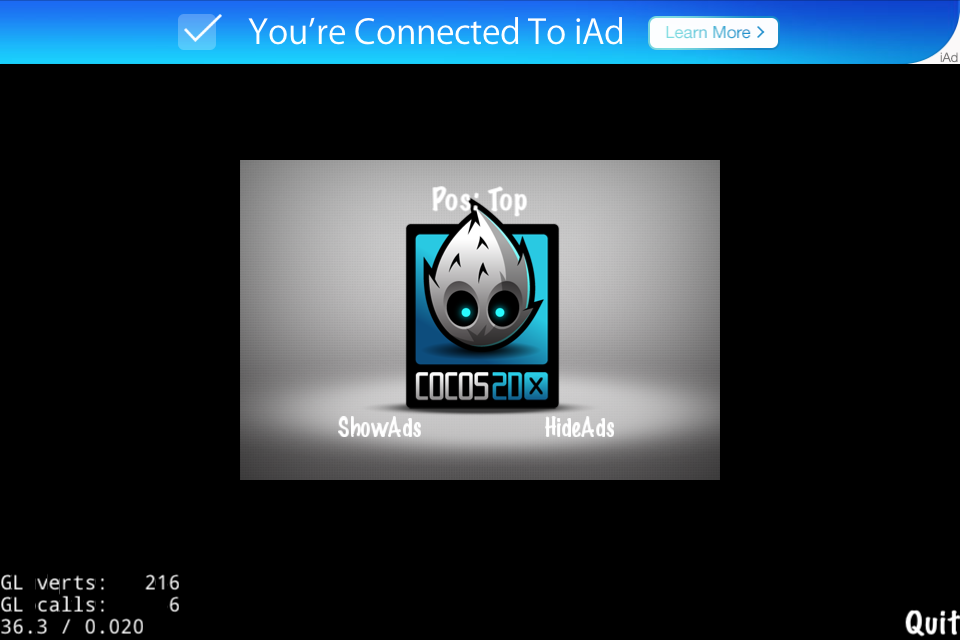
7. Result

admob


iAd


2015-02-03

Cocos2d-x v3.4 에서 plugin-x로 AdMob 연결하기 (iOS - part 2/3)

<- Part 1/3 보기


1. 다음 2가지 프로젝트를 Xcode에 추가합니다.

MyGame/cocos2d/plugin/protocols/proj.ios/PluginProtocol.xcodeproj
MyGame/plugin/plugins/admob/proj.ios/PluginAdmob.xcodeproj


주의사항 : iOS 5 단말지원을 위해 다음처럼 라이브러리 프로젝트의 iOS Deployment Target을 iOS5가 되게 확인/변경합니다.


2. 프로젝트설정에서 다음과 같이 2가지 라이브러리 프로젝트의 dependency와 라이브러리를 추가합니다.


3. 헤더파일 검색 설정을 다음과 같이 합니다.


4. Link flag 설정을 다음과 같이 합니다.


5. admob/iAd/InMobi를 위한 프레임웍을 다음과 같이 추가합니다.


AdSupport.framework (optional)
CoreLocation.framework
CoreTelephony.framework
EventKit.framework
EventKitUI.framework
GameController.framework (optional)
iAd.framework
libsqlite3.0.dylib
MediaPlayer.framework
MessageUI.framework
Security.framework
Social.framework (optional)
StoreKit.framework
SystemConfiguration.framework


6. Ad Unit ID 설정

admob 홈페이지에서 ca-app-pub-0000000000000000/0000000000 형태의 ID 확인/준비


소스코드에 복사


7. 실행결과

admob


iAd